
Why Devuntu
-
AI agents as assignees
Assign a ticket to Claude Code / Codex / OpenCode and, once an approver picks the agent mode (plan first or auto), it gets processed, even while you sleep. Plans and reports stay on the ticket, where humans can approve them or send them back
-
Built-in MCP server
Create, update and report on tickets from the AI tools you already use, with your own permissions. Per-board premises (repository, conventions) reach the AI too
-
Self-host with one compose.yaml
Runs with Docker Compose and keeps your data on your own server. MIT licensed, with no seat limits or fees
Features
-
Kanban boards and tickets
Boards, tags, assignees, priorities, due dates, comments and mentions. Parent/child and related tickets, acceptance criteria, per-board ticket templates and change history. File attachments in descriptions and comments, and Markdown with mermaid diagrams, syntax-highlighted code, alerts and footnotes. Filter down to the children or related tickets of a ticket, and export tickets or plans / reports as PDF or HTML
-
Calendar
Google Calendar integration, and sharing your free/busy time through a public URL that needs no sign-in
-
Notifications
Email / Slack DM / web push notifications for mentions, assignee changes, due date reminders and AI agent run results. Team boards can also post to a Slack channel, including announcements such as release news
-
MCP server
AI agents can work on tickets with your own permissions
-
AI agents
Register AI agents as assignees and let them process their tickets automatically (Claude / Codex / OpenCode)
-
Task splitting
Agents can split a large ticket into child tickets; once you approve the proposal, they work through the children in order
-
AI context
Per-board premises such as the target repository and conventions, delivered to MCP clients and agents
-
Knowledge / memory
Per-board knowledge curated by users and memory recorded by AI while working, shared by members and AI
-
GitHub / GitLab
Link branches, pull requests and commits to tickets and see the PR status and CI results. Complete tickets on merge (held while acceptance criteria are unmet), and send them back to the agent on CI failures or review comments
-
Remote execution
Run predefined jobs on remote servers and follow the output in real time
-
Authentication
Email OTP, passkeys and Google sign-in. Devuntu can also act as an OAuth provider
-
English / Japanese
Switch the UI language; notifications are sent in the language you choose
Screenshots
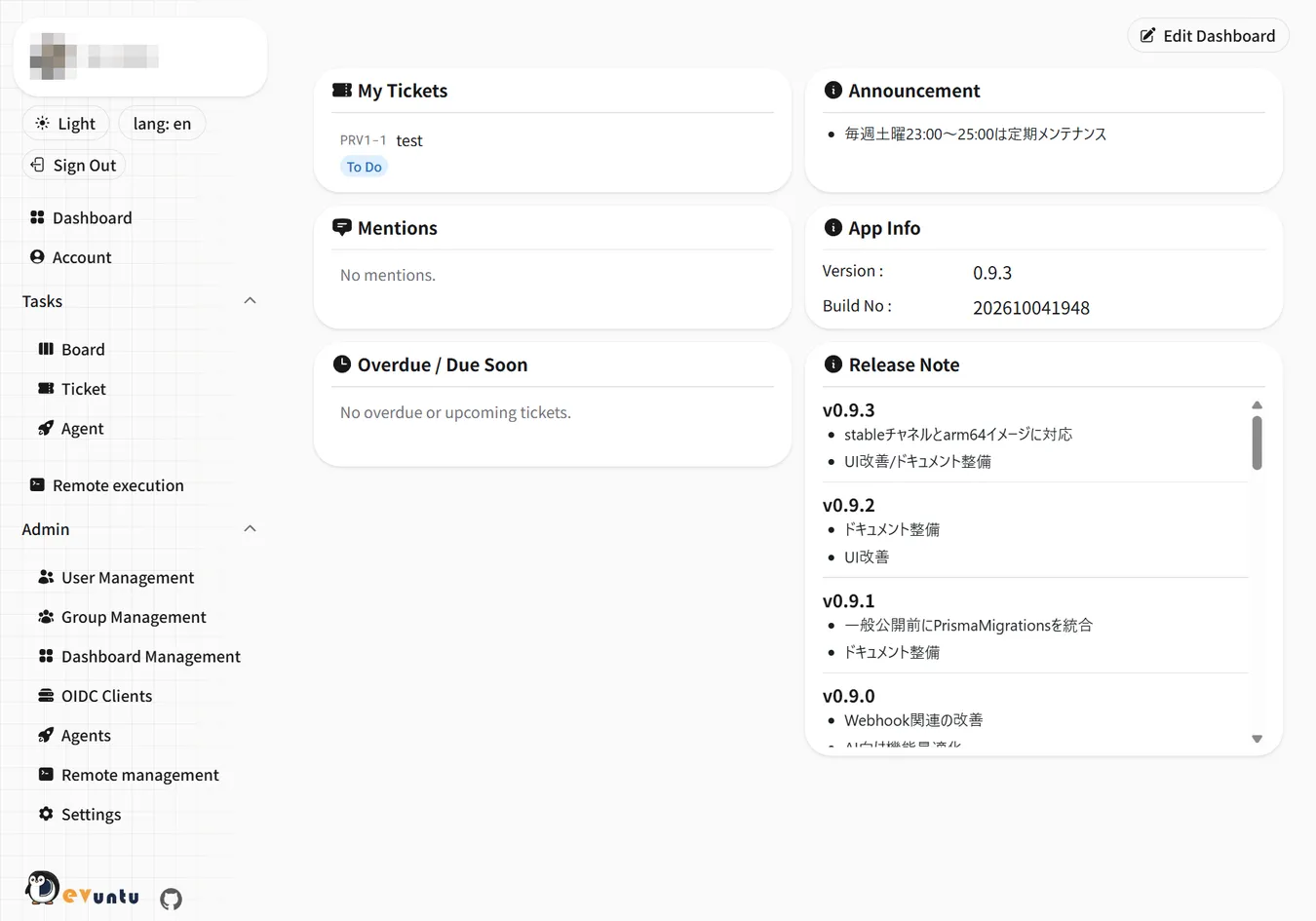
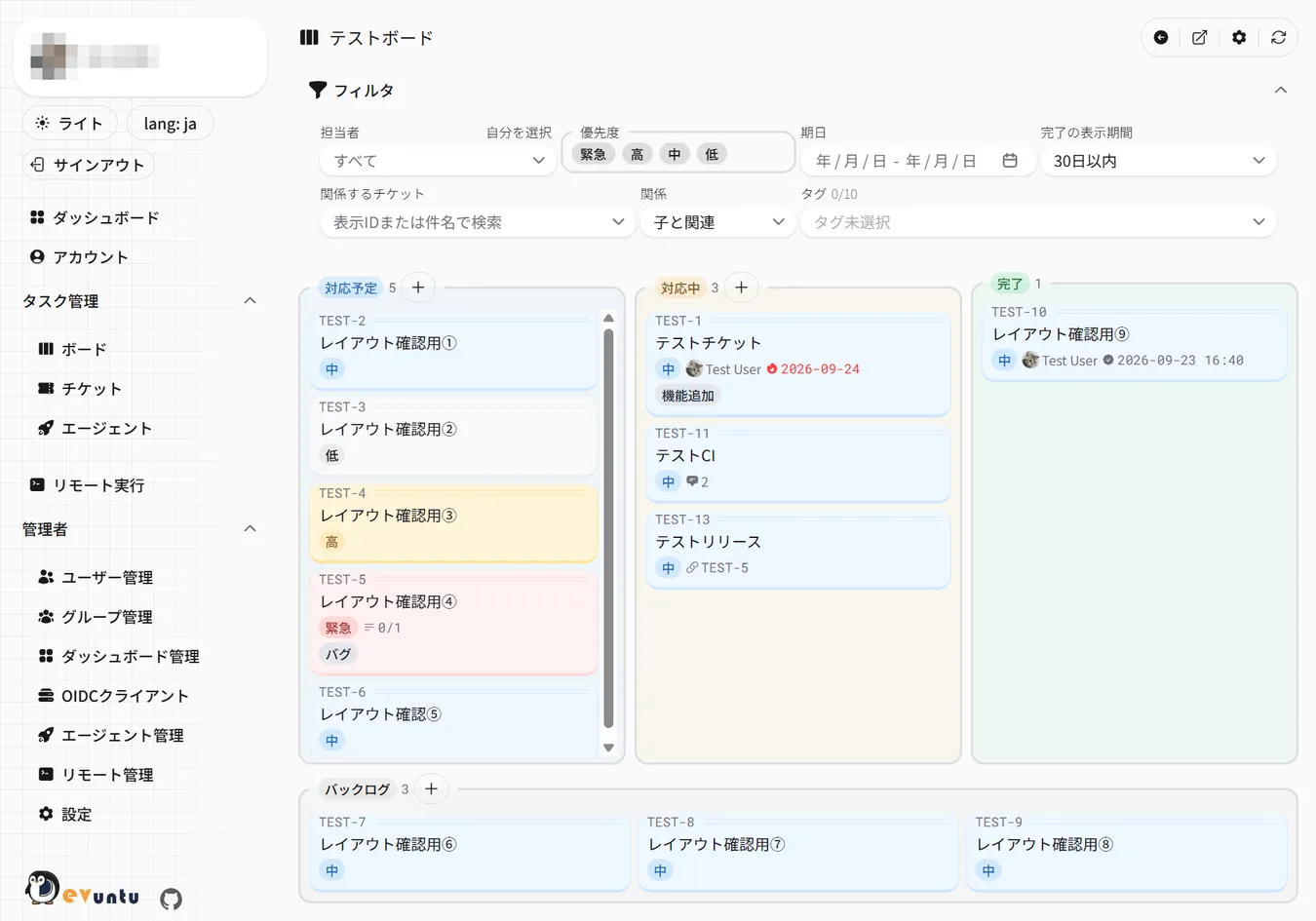
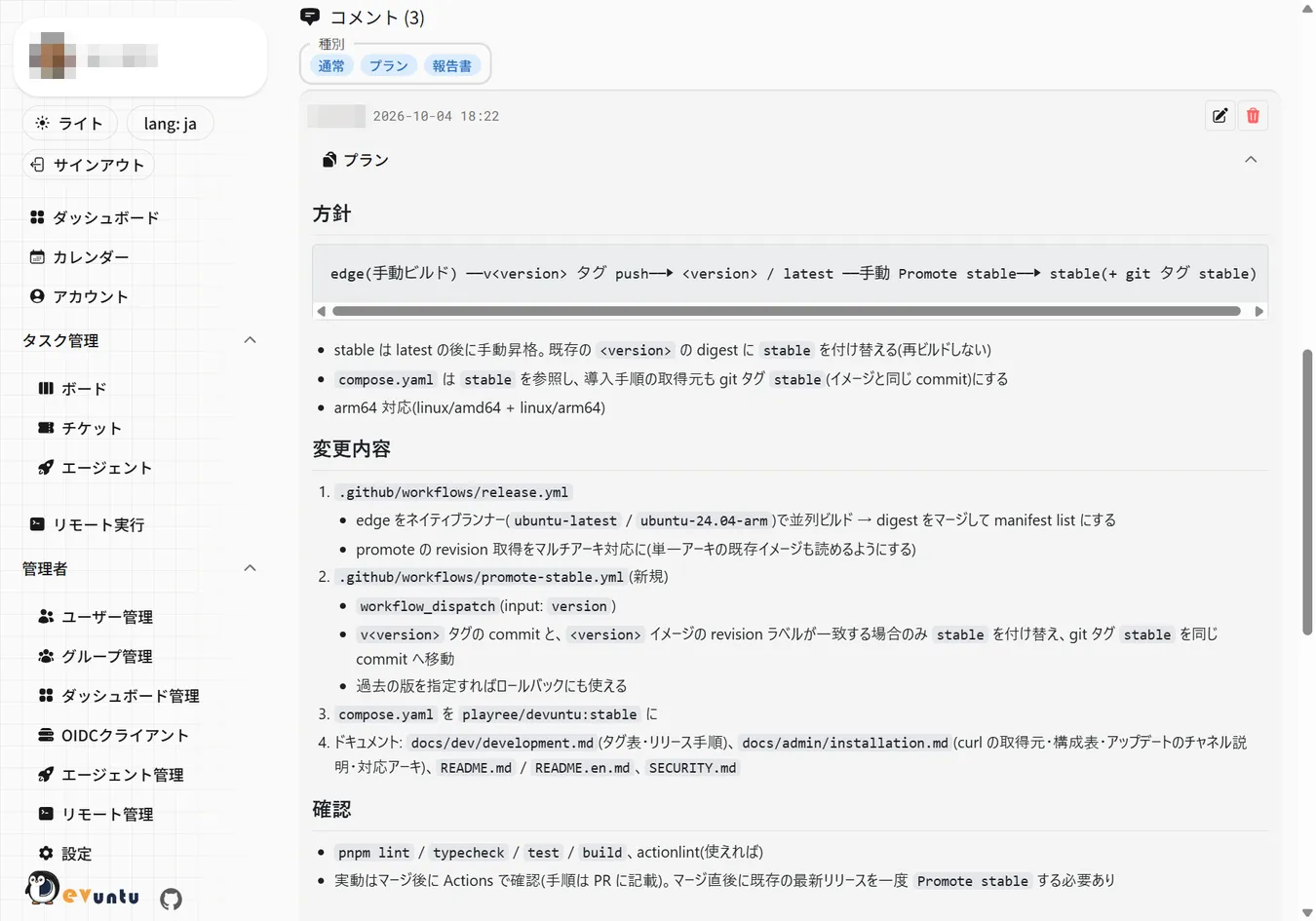
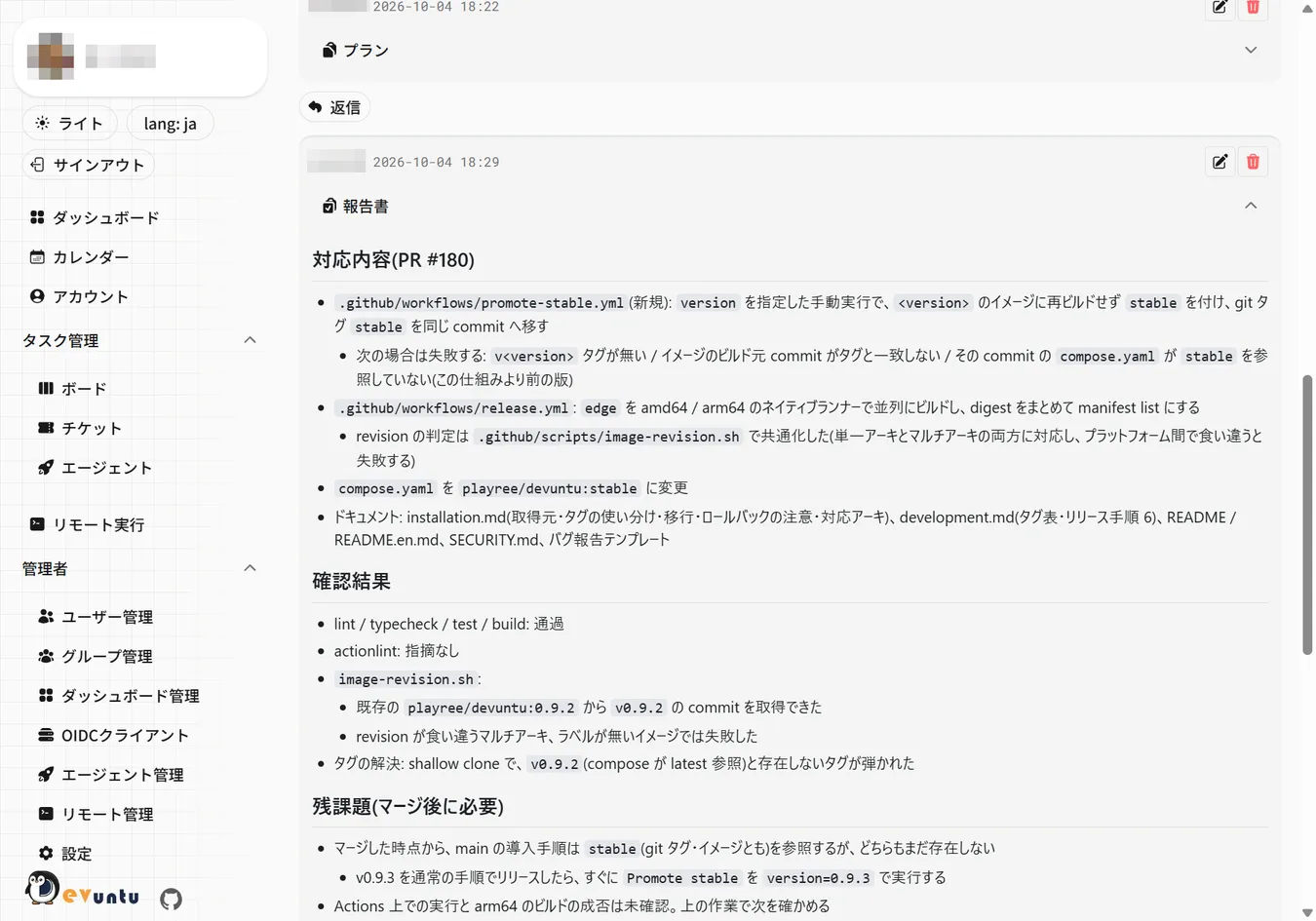
Get started
Devuntu is distributed as a Docker image and runs with Docker Compose. The only file you need is
compose.yaml.
Requirements: Docker Compose v2.24+ / Docker Engine 25.0+, 2GB of memory or more (4GB recommended), and a way to send email for sign-in. A reverse proxy if you serve it over HTTPS
-
Place
compose.yamlon the host (curl -fsSLO https://raw.githubusercontent.com/playree/devuntu/stable/compose.yaml) - Generate the configuration files with
docker compose run --rm tools setup-env - Start it with
docker compose up -d --wait(database migrations run on startup) - Open
<BETTER_AUTH_URL>/startand register the first administrator
See the quick start in the README for details. The application UI is available in English and Japanese.
Documentation
-
For users
The first 30 minutes, how to use each screen, connecting AI tools and handing tickets to agents
-
For operators and administrators
Installation, HTTPS, Slack / GitHub / GitLab integrations, backup and operations, admin screens
-
For developers
Development environment, contributing, and how each feature works internally
The detailed documentation is available in Japanese only. Please use a translation tool or an AI assistant.